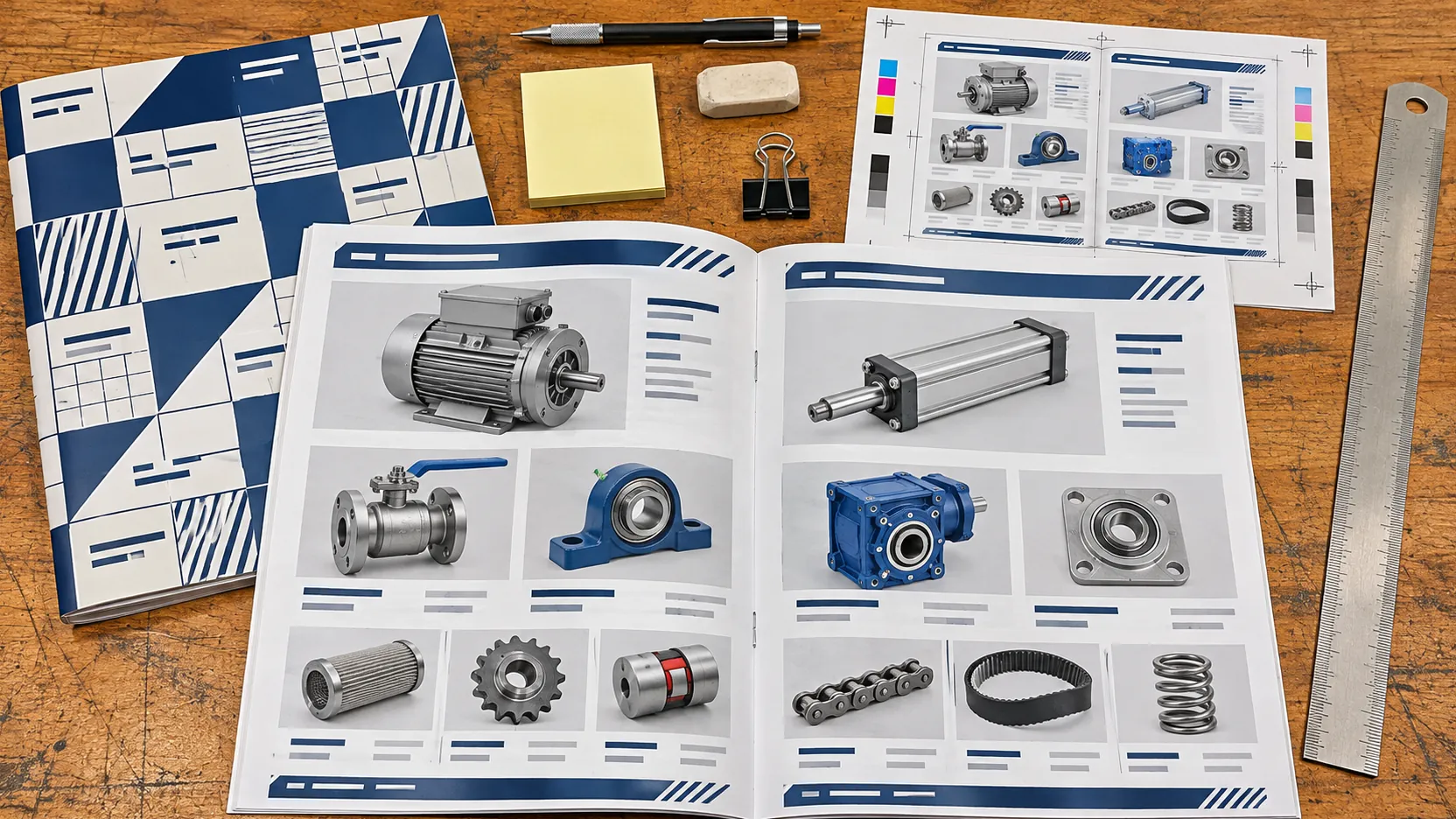
A catalog file package goes through a strange handoff: the people who know the products hand files to the people who know printing, and both sides assume the other one checked the contents.The printer’s checks are real, but they run on resolution, color, and bleed — nobody at the press knows what your price list looked like last quarter.
A catalog printing file checklist runs in two layers: the printer’s technical pass, and a data pass you own — SKU and price accuracy against one approved source, images matched to SKUs, folios frozen before the index, QR codes scanned from a printed proof, and a named person locking the version.
Work the checklist in order and you can hand over a file package that survives pre-press without a surprise — and you will know exactly which edits are still allowed after someone says “final.”
The Expensive Mistakes Are Data Mistakes

Four errors account for most of the pain in catalog printing: a SKU discontinued last season, a price that changed after the sheet was laid out, a product page that vanished in a reshuffle, and a QR code that points to a landing page that no longer exists.None of them is visible on screen, because on screen every one of them looks fine.
They are also the errors nobody downstream can catch. Print-production teams verify what the file must technically contain — color mode, resolution, bleed — and one commercial printer’s own checklist tells customers to read every word themselves, because preflight cannot read minds. A wrong price prints beautifully.
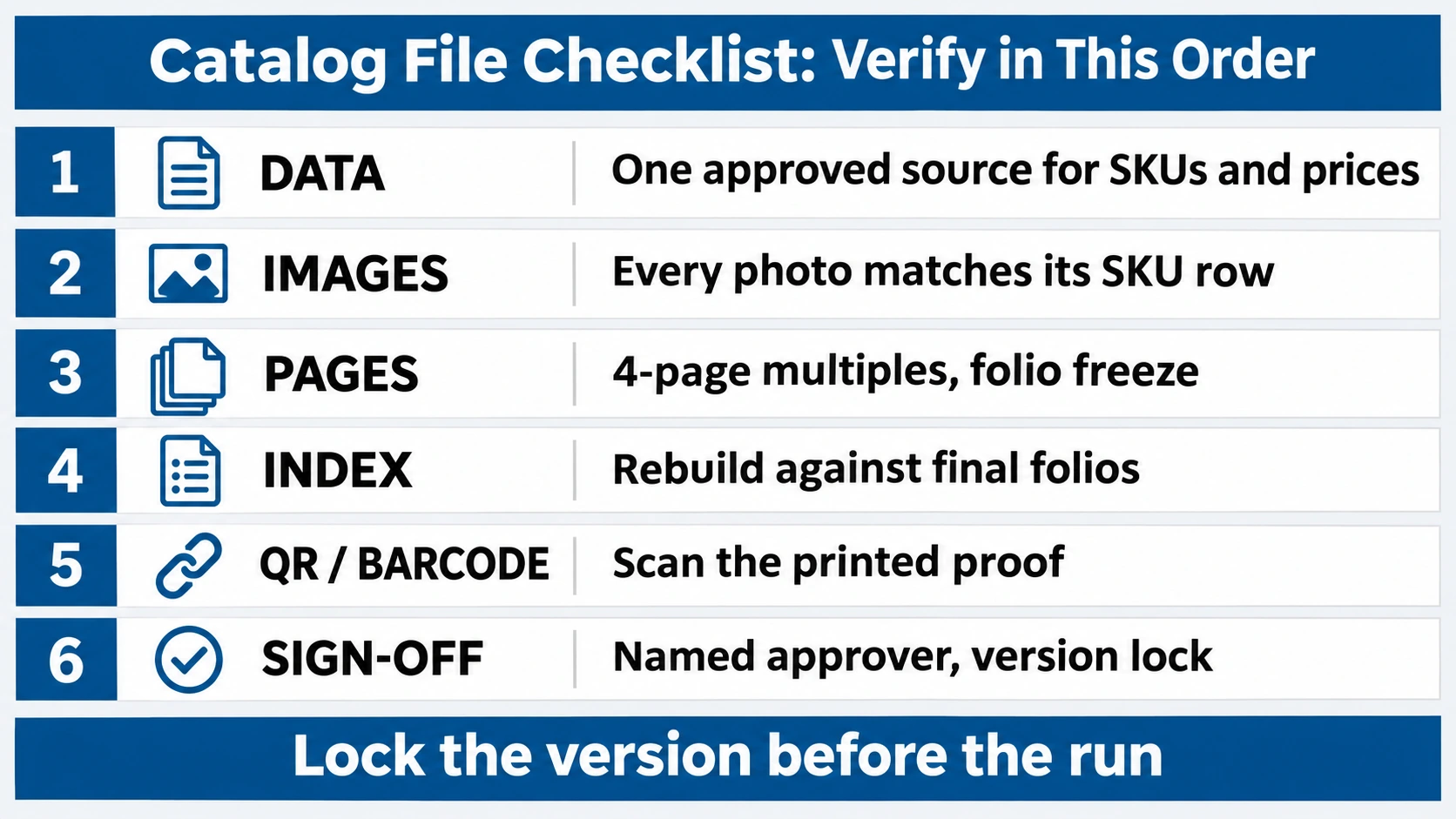
So the file package needs a second checklist that runs before pre-press, and it needs to run in a fixed order: data first, then images, then structure, then links, then the technical pass, then sign-off.
The order matters because late changes ripple backwards — a product added at the last minute renumbers every folio after it and invalidates index entries that were already “done.”
Product Data and Prices: One Approved Source
SKU accuracy starts with a single rule: every row in the catalog traces to one approved data source. Not the designer’s copy of last year’s file, not a spreadsheet someone emailed in March — the current, approved record.
One product-data checklist puts it plainly: technical specifications should always reflect the latest approved engineering source, and prices must match approved values, because a mismatch “can lead to incorrect quotes, canceled orders.” The same discipline says retired SKUs leave the sheet and never come back — inventory teams avoid re-using old codes precisely because recycled identifiers cause mix-ups.
Three checks cover the data layer:
- Source trace — every product row opens from the approved source, not from a copied file.
- Price pass — every price carries the version date of the list it came from, and the dates all match.
- Retirement sweep — discontinued SKUs are checked across the full sheet, because strays survive in index entries, cross-references, and “similar products” callouts.
Real catalog orders arrive with the discipline already visible — industrial RFQs name the edition right in the project (“Bass Tool 2025 Catalog”), which is exactly the habit this checklist asks you to keep: the file knows which edition it belongs to.
| Data check | What “done” looks like |
|---|---|
| SKU list | Every SKU traces to the approved source; none duplicated, none recycled from a retired product |
| Prices | All carry the same version date; spot-check the ten products most likely to have changed |
| Specs | Dimensions, materials, ratings match the current engineering record |
| Edition marker | Version name and date on the file set, matching what sales promised customers |
The printer prints what you approve — which is why this layer is yours, and why “we’ll catch it at the proof” is not a plan. Proofs catch layout regressions; they do not know your price list.
Images Linked to the Right SKU
Image files fail two ways, and only one of them is technical.
The technical floor is well documented: images at 300 DPI at final print size, in CMYK rather than RGB. Most pre-press workflows will flag a soft image before it ever reaches a plate.
The logical failure is quieter: the photo is sharp, CMYK, correctly sized — and it is the wrong product’s photo. That error lives in file management, not in the image, which is why the check is a pass down the sheet: every photo matches its SKU row, at the version you are printing.Files named like catalog_final_v2_FINAL break that link quietly, and multi-file submissions are where it bites — one industrial RFQ arrived as 48 separate US Letter files. When images travel in batches, the mapping between image and SKU row is a deliverable, not a courtesy.
Page Count, Numbering, and the Index
Structure decisions are file decisions, and they land before any folio is placed.
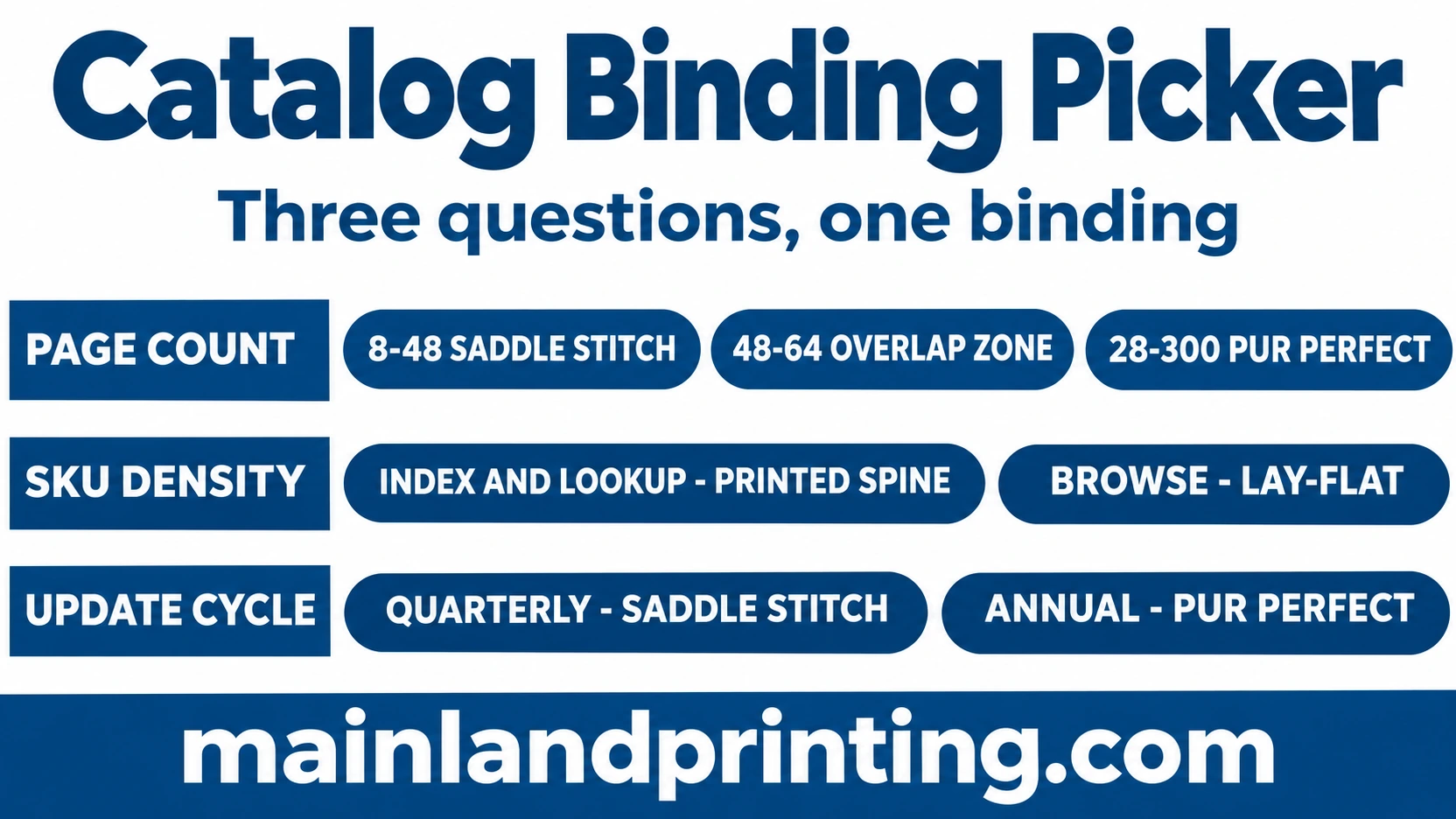
Page count comes first. Signatures fold in 4-page units, so catalogs built in 4-page multiples stay efficient — the company planning rule on the catalog quote page, and the reason a “one extra page” request costs more than a page.The count also has to fit the binding: saddle stitch runs 8–64 pages, PUR perfect bound 28–300, spiral or wire-o 16–200, hardcover 40 and up, and the binding comparison by page count explains what each range buys. Buyers arrive with the split already planned — one 3,000-copy RFQ specified 56 pages total, 52 interior plus a 4-page cover — and that interior/cover split is exactly how your file should be organized too.
Numbering has a freeze point. Folios go in after pagination is final, because every late insertion renumbers what follows it.
The index is only as good as that freeze. Professional indexers answer with a flat no — a machine can string page numbers after terms, but it cannot judge how a product is actually discussed on a page, and an index built before the final pagination is stale on arrival.The working rule: pagination locks, folios place, the index rebuilds against the final spread numbers, and one sweep confirms printed folio matches index entry. Any edition change — and industrial catalogs change every year — restarts that sequence rather than patching it.
QR Codes and Barcodes: Test the Proof, Not the Screen

A QR code that scans from your monitor proves nothing about the printed piece. Contrast that passes on a backlit screen can fall short on uncoated paper, and low-resolution exports blur the module edges that scanners depend on.
The printed proof is the test surface, and a QR print-test checklist runs five checks:
- Scan on at least one iPhone and one Android, at the distance a reader would actually hold the catalog.
- Confirm the destination URL opens — the code resolving is not the same as the page existing.
- Check contrast against the roughly 4.5:1 minimum; light-on-light codes fail in real lighting.
- Keep the quiet zone — the white border — at least four modules wide on all sides.
- Run a validator tool to catch structural damage a visual pass misses, then print one test copy on the actual stock.
Destinations get locked before the run, not after. A static code is printed fact; a dynamic code can be re-pointed after printing, which is real flexibility — but it does not rescue a code that never scanned, and it does not excuse a destination that was dead on press day.Barcodes take the same treatment: scanned from the printed proof, on real hardware, before the quantity is approved.
The Pre-Press Technical Pass
The technical layer is the one your printer will check, and the standards are public: document color in CMYK, images at 300 DPI at final size, bleed extending an eighth of an inch past trim on all four sides, critical content kept inside the safety margin, fonts embedded or outlined, large black solids built as rich black, and the file exported with crop marks and bleed.
The catalog quote page states what the factory side prefers to receive: a print-ready PDF with bleed and crop marks, or InDesign source files. Both work; what changes the outcome is the state the file is in when it arrives.
One catalog-specific caution closes the module: a page-count change at this stage is not a layout tweak.It renumbers folios, invalidates the index, and can move QR codes across spreads — which is the whole reason the checklist runs data and structure before the technical pass, and why the paper and cover guide decisions stay locked before files go final.
Who Signs Off: Split the Responsibility Before the Proof
Approval fails quietly when “everyone looked at it.” Data teams assume design checked placement; design assumes someone verified prices; the printer assumes the client knows its own catalog.The fix is a four-row split, agreed before the proof, borrowed from how product-data teams record approvals — who approved, what changed, when.
| Layer | Who verifies what |
|---|---|
| Product / brand owner | SKUs, specs, and prices against the approved source; retirement sweep complete |
| Sales | Edition scope — what is in, what is out, quantities per market |
| Design | Images matched to SKU rows, folios placed, QR destinations current |
| Prepress | The technical pass — and flags anything it cannot verify, like content |
Then one named person approves, with a date. Version lock closes the loop: after approval, any file edit — even a “one-word fix” — creates a new version marker and restarts the folio, index, and QR checks that edit touches.
The expensive mistakes are almost never the first draft; they are edits made after someone believed the file was finished.
Send the Package for a Pre-Press Review
Reviews work best when the package is complete: the files, the edition marker, the page structure (interior plus cover split), and the QR/barcode inventory with destinations.On the factory side, Mainland runs catalog projects across the four bindings — saddle stitch from 8 pages, PUR perfect bound to 300, spiral to 200, hardcover from 40 — and the quote form takes use, page count, quantity, binding, cover finish, and destination with a target date. Where quantities land changes the file math as much as the budget math, so the catalog cost planning guide pairs naturally with this checklist.
Want a second set of eyes before pre-press?
Send the file package with your edition marker and page structure — Mainland reviews it against the checklist above, flags the technical layer, and returns a proof plan for your spec.
The review checks the files as supplied — SKU and price accuracy stay with the data owner, which is the same boundary this checklist started with.
Lock Your Catalog Files Before the Run
Run the layers in order and the file package verifies itself: one approved source behind every SKU and price, every image matched to its row, pagination frozen before folios and the index rebuilt against the final spread, QR codes scanned from a printed proof with destinations locked, the technical pass on top, and one named approval closing a version.
Each layer protects the next, which is why the order is the checklist — data errors caught at the top cost an email, and the same errors caught at delivery cost a reprint.
That is also what makes a catalog project defensible across teams: every file in the package traces to a check someone actually ran, and the version lock means “final” finally means final.
A file review costs an afternoon; a recalled catalog costs a warehouse.